


请注意,仅保证本文中提及的版本能够激活。对于其他版本,无法确保可以激活。
一、安装JDK
- 我这里直接采用RPM包的方式安装OracleJDK1.8版本
- 注:Atlassian家的产品,默认包中自带JDK,此步骤可忽略!
[root@bitbucket ~]# rpm -ivh jdk-8u231-linux-x64.rpm
二、安装MySQL
- 我这里MySQL安装的是5.7版本,通过RPM包的方式安装,你也可以通过其他方式安装
文章来源(Source):https://dqzboy.com
1、安装MySQL
- 卸载系统自带的mariadb
[root@localhost soft]# rpm -e mariadb-libs-5.5.60-1.el7_5.x86_64 --nodeps

#定义安装版本
export mysqlVer=5.7.38-1

#下载
wget https://mirrors.huaweicloud.com/mysql/Downloads/MySQL-5.7/mysql-community-common-${mysqlVer}.el7.x86_64.rpm
wget https://mirrors.huaweicloud.com/mysql/Downloads/MySQL-5.7/mysql-community-libs-${mysqlVer}.el7.x86_64.rpm
wget https://mirrors.huaweicloud.com/mysql/Downloads/MySQL-5.7/mysql-community-libs-compat-${mysqlVer}.el7.x86_64.rpm
wget https://mirrors.huaweicloud.com/mysql/Downloads/MySQL-5.7/mysql-community-devel-${mysqlVer}.el7.x86_64.rpm
wget https://mirrors.huaweicloud.com/mysql/Downloads/MySQL-5.7/mysql-community-client-${mysqlVer}.el7.x86_64.rpm
wget https://mirrors.huaweicloud.com/mysql/Downloads/MySQL-5.7/mysql-community-server-${mysqlVer}.el7.x86_64.rpm


[root@localhost soft]# yum -y install net-tools
[root@localhost soft]# rpm -ivh mysql-community-*
2、启动MySQL
[root@bitbucket ~]# systemctl start mysqld
[root@bitbucket ~]# systemctl enable mysqld
3、创建用户
3.1:重置root密码
[root@bitbucket ~]# cat /var/log/mysqld.log |grep password
[root@bitbucket ~]# mysql -uroot -p
mysql> set global validate_password_policy=0;
mysql> set global validate_password_number_count=0;
mysql> set global validate_password_special_char_count=0;
mysql> ALTER USER 'root'@'localhost' IDENTIFIED BY 'dqz123456';
mysql> CREATE USER 'root'@'%' IDENTIFIED BY 'dqz123456';
mysql> grant all privileges on *.* to root@'%';
3.2:创建Bitbucket库和用户
- 官网文档:点击查看

mysql> CREATE DATABASE bitbucket CHARACTER SET utf8 COLLATE utf8_bin;
mysql> GRANT ALL PRIVILEGES ON bitbucket.* TO 'bitbucket'@'localhost' IDENTIFIED BY 'dqz123456';
mysql> FLUSH PRIVILEGES;
三、升级Git
- Atlassian Bitbucket支持的Git最低版本是2.11.0。升级到Git 2.11.0
1、卸载Git
[root@bitbucket ~]# git --version
git version 1.8.3.1

[root@bitbucket ~]# yum remove git
2、安装依赖
[root@bitbucket ~]# yum -y install zlib-devel curl-devel openssl-devel perl cpio expat-devel gettext-devel openssl zlib autoconf tk perl-ExtUtils-MakeMaker3、安装Git
[root@bitbucket ~]# cd /opt/soft/
[root@bitbucket soft]# wget https://mirrors.edge.kernel.org/pub/software/scm/git/git-2.19.3.tar.gz
[root@bitbucket soft]# tar -xf git-2.19.3.tar.gz
[root@bitbucket soft]# cd git-2.19.3
[root@bitbucket git-2.19.3]# make prefix=/usr/local/git all
[root@bitbucket git-2.19.3]# make prefix=/usr/local/git install
[root@bitbucket git-2.19.3]# echo "export PATH=$PATH:/usr/local/git/bin" >> /etc/profile
[root@bitbucket git-2.19.3]# source /etc/profile
[root@bitbucket git-2.19.3]# git --version
git version 2.19.3
四、安装Bitbucker
1、程序赋权
[root@bitbucket soft]# chmod +x atlassian-bitbucket-6.9.0-x64.bin2、程序安装
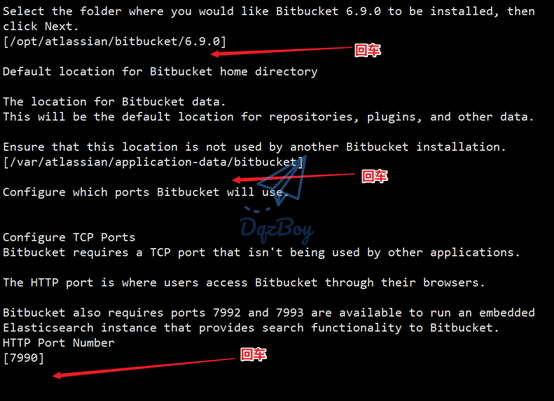
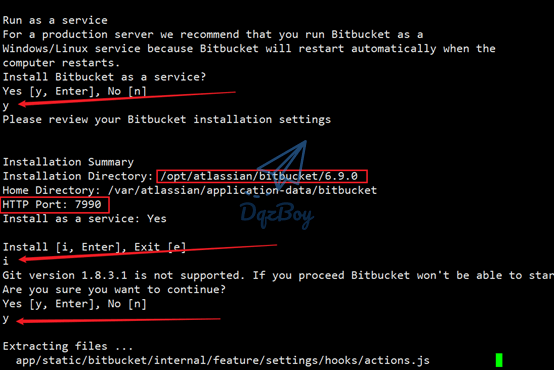
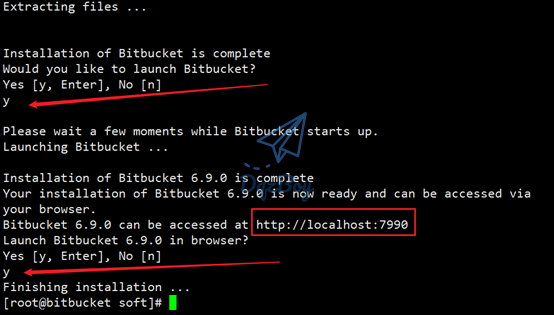
[root@bitbucket soft]# ./atlassian-bitbucket-6.9.0-x64.bin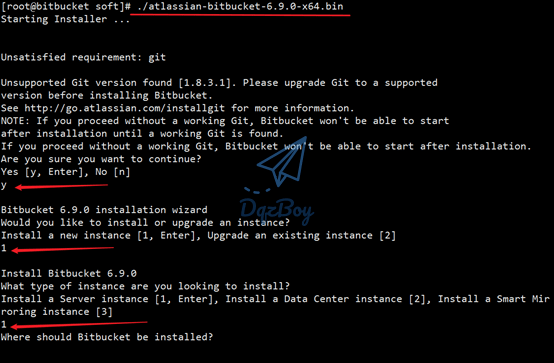
五、替换文件
1、停止程序
[root@bitbucket soft]# /etc/init.d/atlbitbucket stop 温馨提示: 隐藏内容,请在本页留言并刷新页面查看。登入账号需绑定邮箱! 点击此处绑定邮箱
六、访问页面
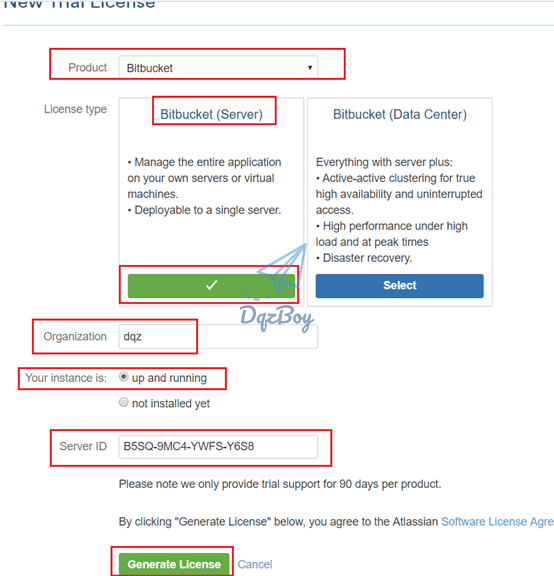
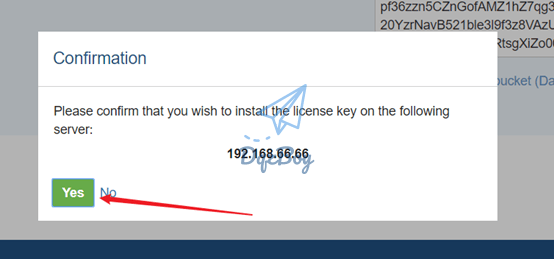
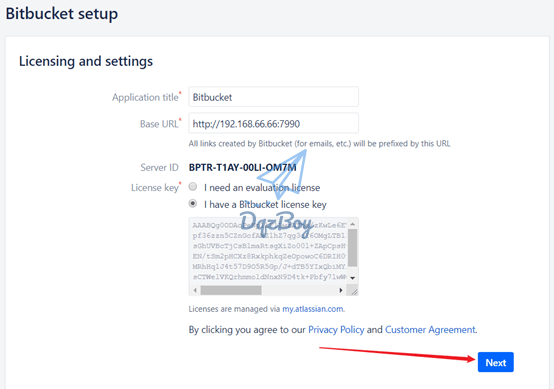
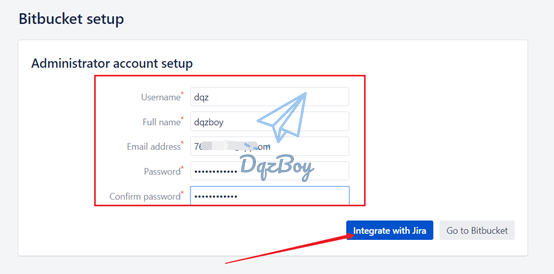
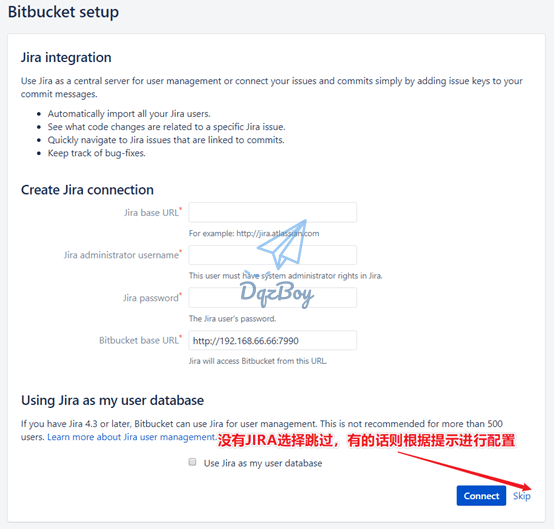
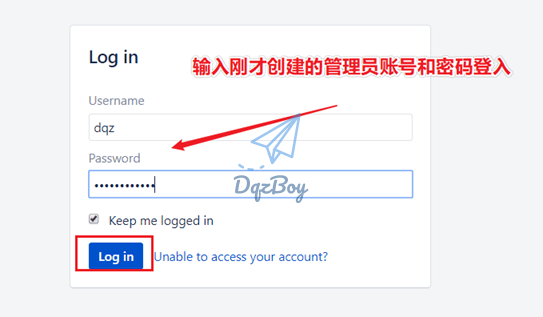
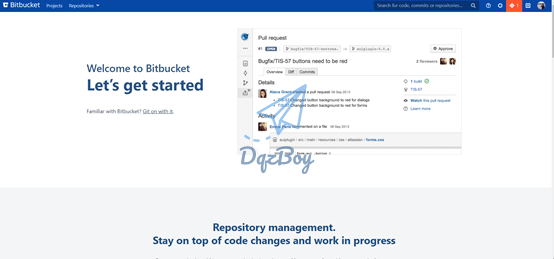
1、开始配置
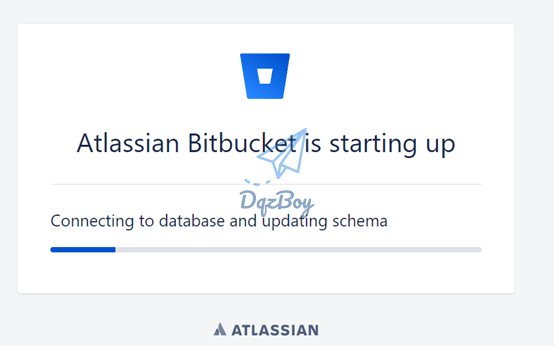
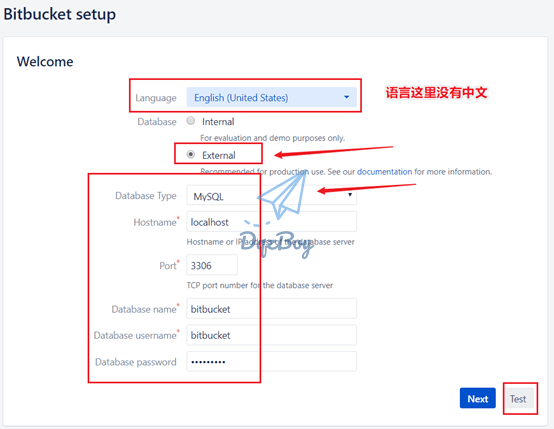
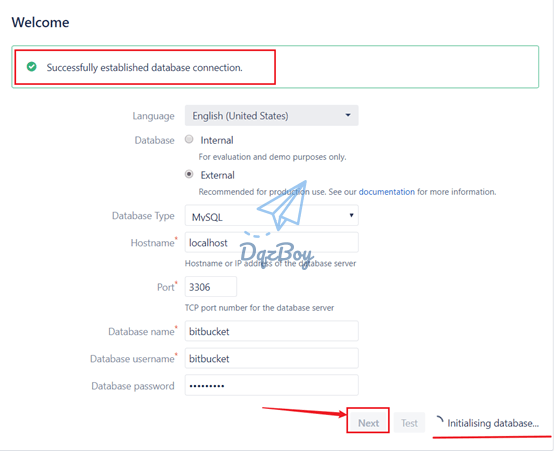
- 有账号点下图中的选项,没有则需要点击创建,确保网络可以正常访问官网
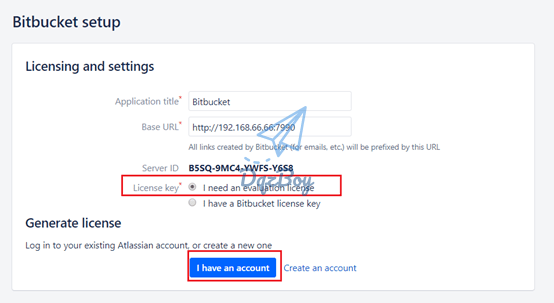
2、配置中文
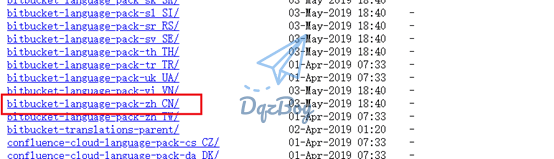
2.1:下载中文包
- Bitbucket默认是不含中文语言的, 需要下载语言包
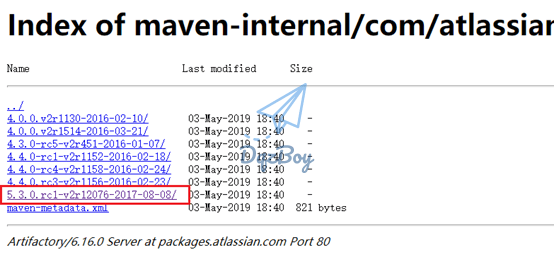
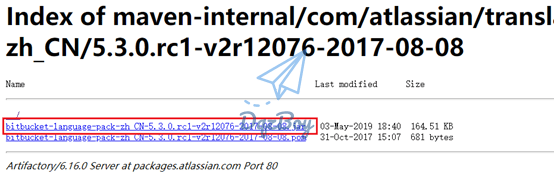
2.2:上传中文包
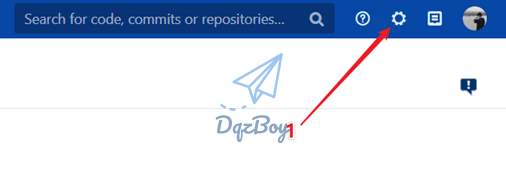
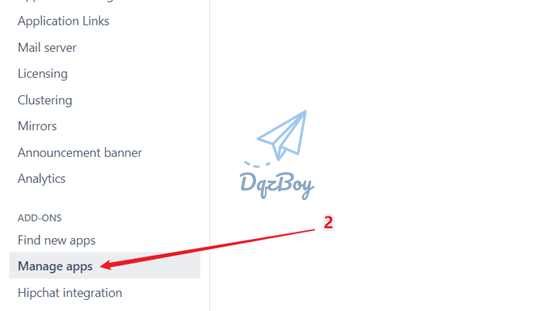
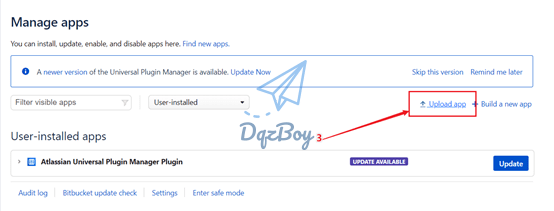
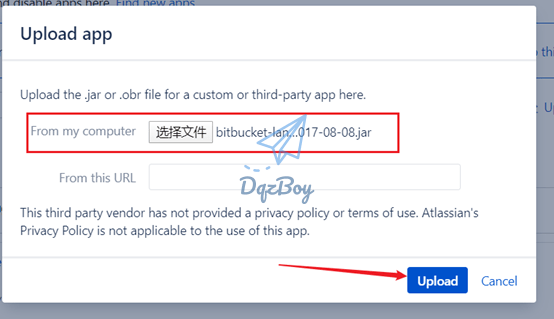
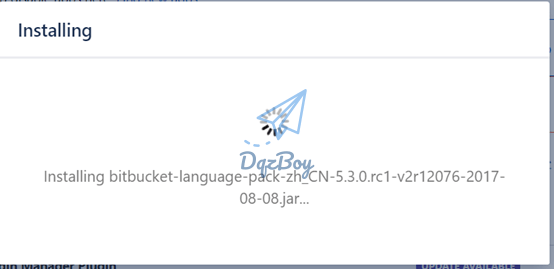
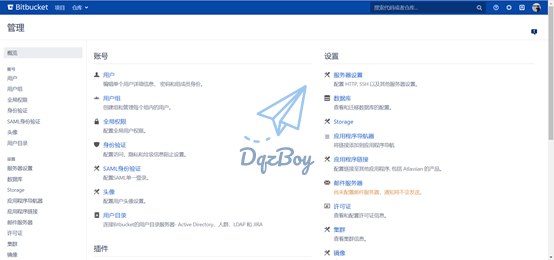
3、检查许可
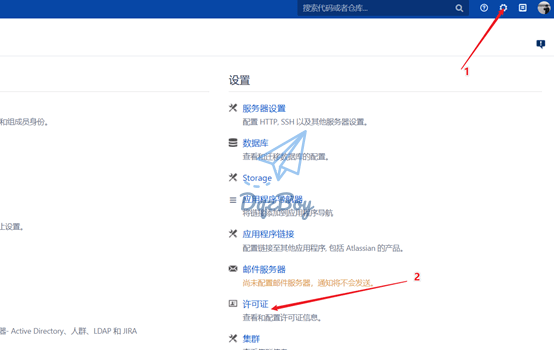
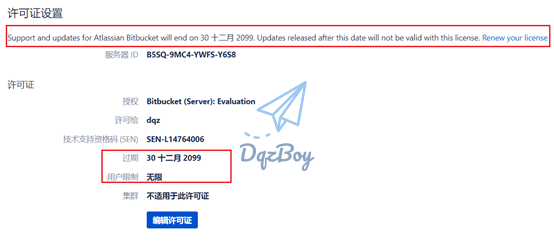
声明:
- 本文提供的破解方法和程序只做个人学习研究之用,不得用于商业用途!
- 商业使用请向Atlassian购买正版,谢谢合作!



直接替换文件,会不会影响本机原来的mysql
学习了 谢谢大佬
再尝试一下,失败好几次了
关于获取 Mysql 的 rpm安装包的命令 补充给需要的小伙伴吧
wget https://downloads.mysql.com/archives/get/p/23/file/mysql-community-server-5.7.22-1.el7.x86_64.rpm
wget https://downloads.mysql.com/archives/get/p/23/file/mysql-community-client-5.7.22-1.el7.x86_64.rpm
wget https://downloads.mysql.com/archives/get/p/23/file/mysql-community-common-5.7.22-1.el7.x86_64.rpm
wget https://downloads.mysql.com/archives/get/p/23/file/mysql-community-libs-5.7.22-1.el7.x86_64.rpm
你好有bamboo的教程吗
没有这此软件的教程
博主 请问下点击下载没有触发跳转是怎么回事
哪块不能下载
学习了 谢谢大佬